 JMeterHub Recorder
Record JMeter scripts in your browser
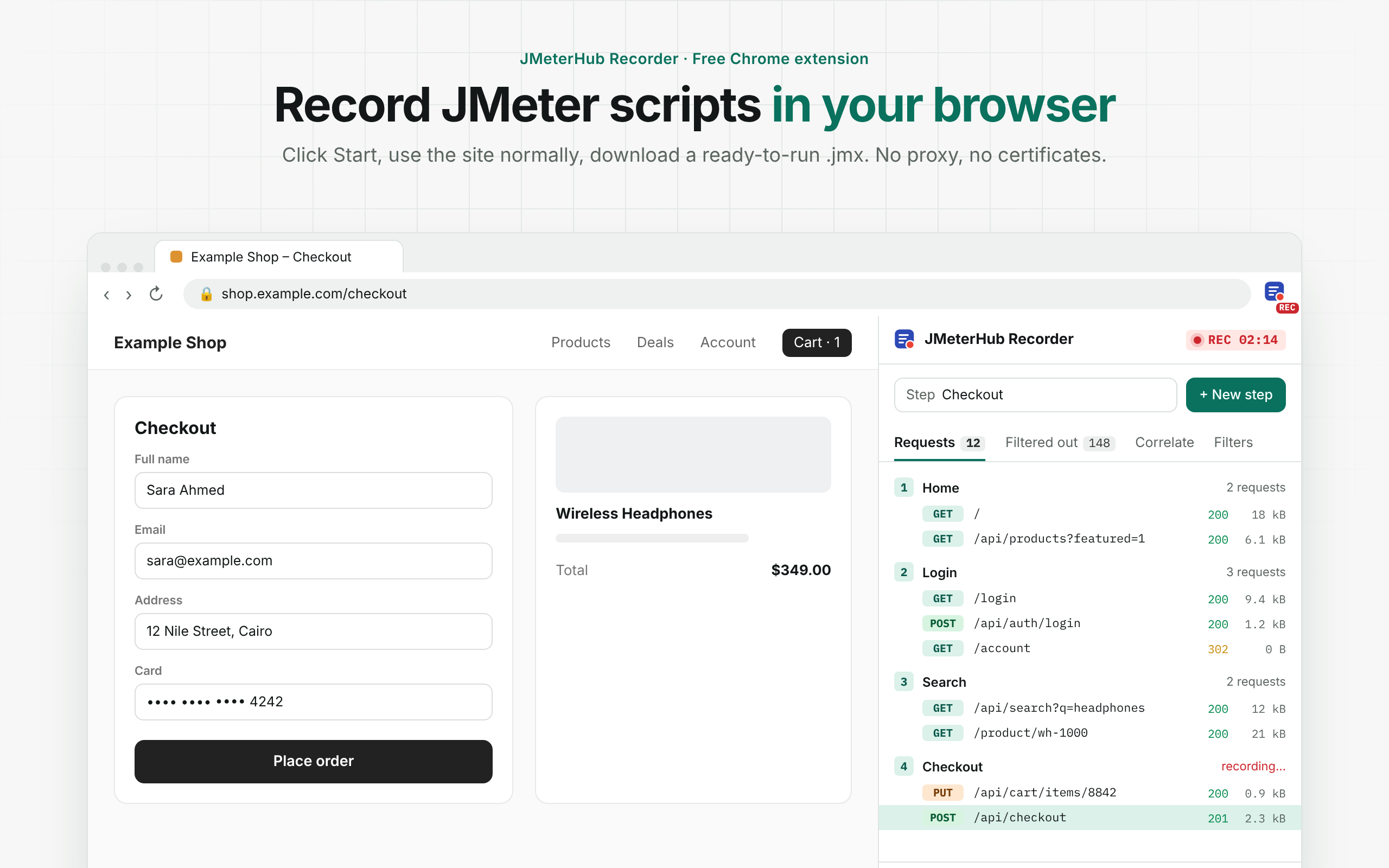
No proxy setup, no certificates, no uploads. Use your site normally and download a ready-to-run .jmx.
Works in Chrome and Edge.
How it works
- 01
Record
Open the side panel and click Start. Use the site like a real user.
- 02
Name your steps
Click New step as you go. Each step becomes a Transaction Controller.
- 03
Correlate
The recorder finds CSRF tokens, session IDs and record IDs and turns them into variables.
- 04
Export
Download a ready-to-run .jmx and open it in JMeter.
From recording to a replayable test
Record
One tab, only between Start and Stop. Full requests and responses, grouped by step. Pause and resume anytime.
100% on your device
No uploads – the extension makes no network requests of its own.
Secrets masked – passwords, tokens and cookies are hidden by default.
You own the data – recordings stay in your browser until you clear them.
Questions
Why does Chrome say the extension 'started debugging this browser'?
To see full requests and responses, the recorder uses Chrome's built-in debugging interface, the same one DevTools uses. It's attached only to the tab you record and removed when you click Stop.
Does it replace JMeter's HTTP(S) Test Script Recorder?
For browser flows, yes: no proxy or certificate needed. The output is a standard .jmx you open in JMeter.
What can't auto-correlation handle?
Values the page's own JavaScript creates, like timestamps or request signatures. They never appear in a server response, so they still need a small script in JMeter.
What isn't supported yet?
WebSockets, Server-Sent Events, chrome:// pages and the Chrome Web Store.
Is it free?
Yes.